What's in it.
The keys are the start. Each line below is in the app today.
Triage
- Split inbox.
- Important mail apart from notifications and the rest, plus splits of your own.
- Screener.
- You decide whether people writing for the first time reach your inbox.
- Remind me.
- Snooze a conversation until later, or bring it back only if nobody replies.
- Mute.
- Keep a noisy conversation out of your inbox.
Write
- Send later.
- Schedule a message for the right moment.
- Undo send.
- Take a message back right after you press send.
- Checks before sending.
- A warning before you send something you'd regret, like a forgotten attachment.
- Snippets.
- Reusable text for the replies you write often.
Protect
- Phishing warnings.
- A clear banner on mail that looks like phishing or impersonation.
- Links that lie.
- A link that leads somewhere other than it says asks before it opens.
- Block.
- Block a sender or their whole domain.
Clean up
- Mailbox clean-up.
- See who fills your mailbox, then unsubscribe, archive or block in a few keys.
- Unsubscribe.
- One key.
- Get me to zero.
- Clear out old mail in one step, and undo it if you change your mind.
Calendar and accounts
- Agenda beside your mail.
- See your day and answer invitations without leaving your inbox, for Google accounts.
- New events.
- Type the time in plain words.
- Several accounts.
- Read them one at a time or all in one inbox.
Second computer
- Settings that follow you.
- Back up your settings to your own mailbox or to a file, and restore them on another computer. Passwords are never included.
Your hands stay on the keys.
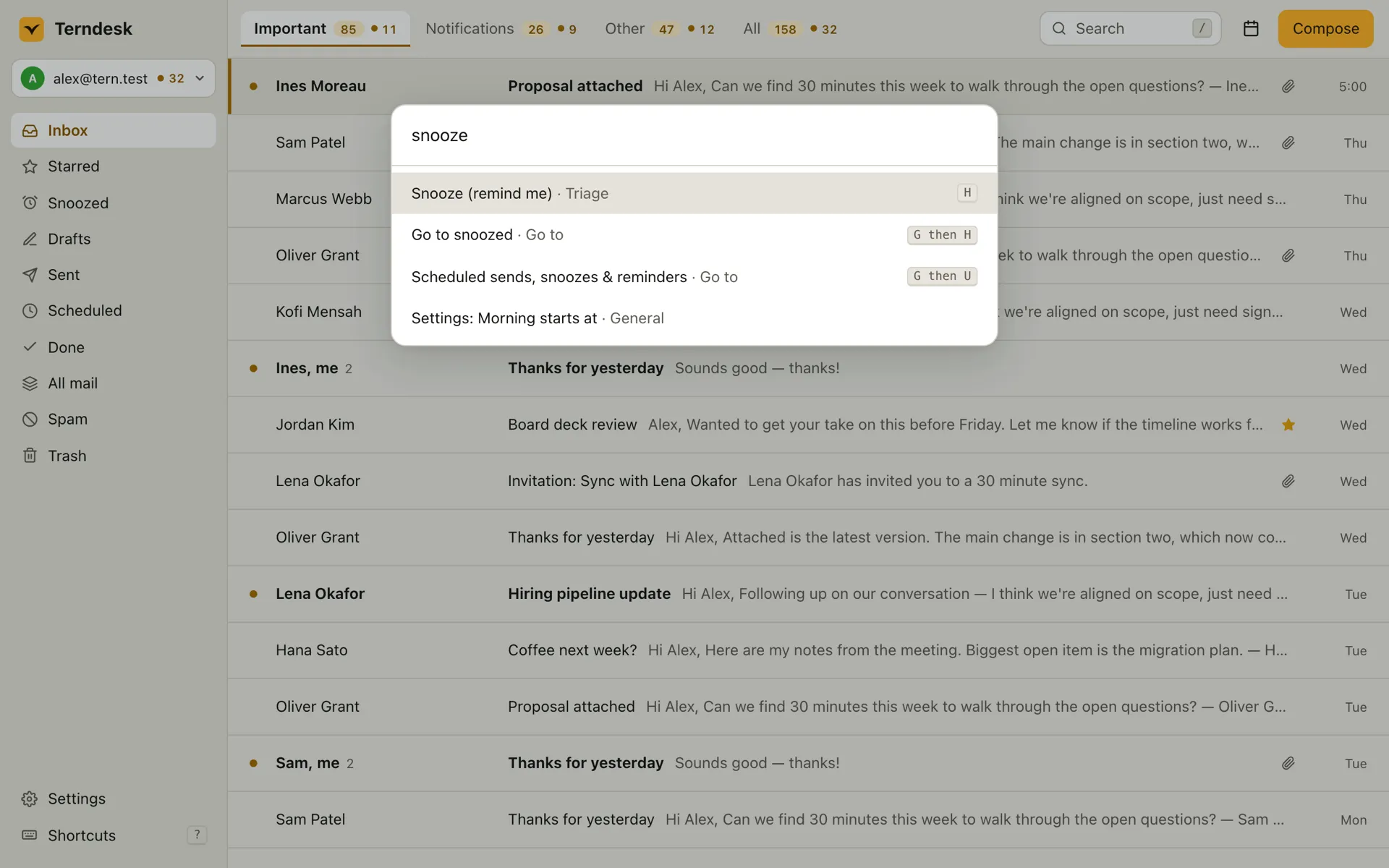
Every action in Terndesk has a shortcut. Forget one and press ⌘CtrlK: the command palette shows each command's key as you search. ? lists them all.
Move and triage
- Next conversation
- J
- Previous conversation
- K
- Mark done
- E
- Remind me later
- H
- Undo
- Z
Write and find
- Compose
- C
- Reply
- R
- Write with AI
- ⌘CtrlJ
- Search
- /
- Every command
- ⌘CtrlK
- Remap anything.Change any shortcut in Settings. Terndesk warns you when two clash.
- Any keyboard layout.AZERTY, QWERTZ and Dvorak work as printed.
- Mouse optional.Select several conversations, act on them together, and undo it all at once.
Clear your inbox without reaching for the mouse.
The .dmg, .deb, .rpm and AppImage are on GitHub. To hear about new versions, watch the releases or follow their feed.